Prism - Code folding with details and summary
I have started development of a
code folding plugin
for Prism syntax highlighting. The
comment
by Lea Verou
showed me that the details and summary tags combined with the
Keep markup plugin are a
more comfortable solution.
Prism - syntax highlighting for Magento templates
In the past I have written a few posts about email template directives for Magento 2.
- Magento 2 email template block directives
- Magento 2 email template translator directives
- Magento 2 email template config directives
- Magento 2 email template template directives
- Magento 2 email template logic directives
- Magento 2 email template style directives
- Magento 2 email template layout directives
I like to use Prism as syntax highlighter for my blog. So I have created a small grammer for Magento templates that are used for emails and for the CMS system.
Change theme-color via JavaScript
A few days ago I have found
Android chrome tab color
and today I wanted to know if it can make sense to change the theme-color via JavaScript. I was not
sure if the chrome browser will update the tab color.
Dynamic or lazy blocks in a CMS page with Lesti_FPC
Simon Sprankel contacted me a few days ago. He is using Lesti_FPC for a customer and he had a block in a few CMS pages. This block has to be dynamic or lazy. I have answered this tricky question a few times via email, but together we have found a good solution that I would like to present in this post.
Android chrome tab color
Today I come across the website of
PaperHive with my Android
phone and the tab in the chrome browser was blue instead of gray. I wanted the same for my website in green. I
checked the HTML source of the website and found the responsible meta tag.
Prism - Code Folding plugin prototype
I am using Prism on my blog for my syntax highlighting and I am very happy and thankful about it. Sometimes I wanted to show the users of my blog a specific function of a class, but without decoupling the function from the class. So I needed something like a Prism plugin that can hide specific lines of the code in a foldable area.
Prism - Hooks list
I started my first Prism plugin. Prism uses hooks or in other software often called events to get simple plugin architecture. It is often a good idea to get an overview about all available hooks that Prism runs without any plugins. I will show in this post a small list with some explainations.
Inkscape - Change the color of markers
Markers of a stroke have one problem in Inkscape,
they are always black. Here a small example of a unfilled shape with red Stroke paint, a DotL as
Start Markers and a Arrow2Lend as End Markers.
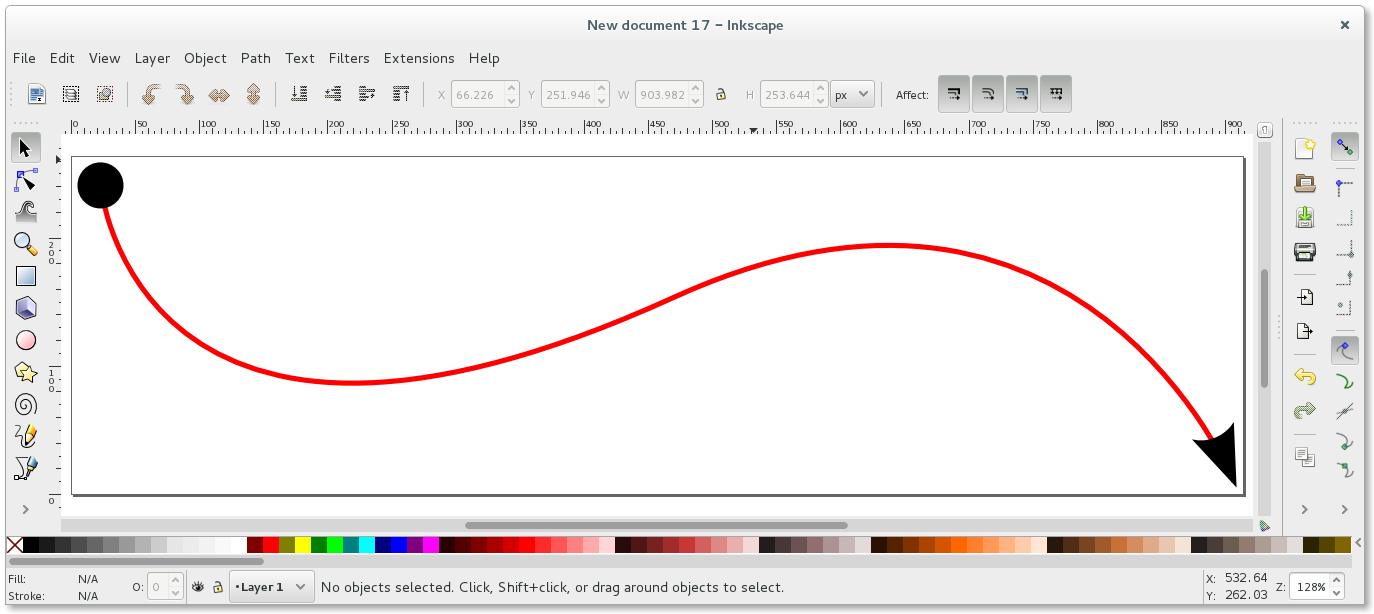
I would like to show three ways to turn the markers red.
Magento 2 email template style directives
I would like to explain the css and inlinecss directives and the variable
template_styles of Magento 2 email templates in this post.
Magento 2 email template logic directives
There are two logical directives that can be used in Magento 2 email templates. The depend and the
if directives. I will explain both in this post.